

Supported deployments
For the full catalog of protocols, networks, clients, client versions, and resource requirements, see Supported deployments. It covers Ethereum, Optimism, Base, Unichain, Zora, World Chain, Blast, Mantle, opBNB, Arbitrum, Robinhood Chain, Polygon, Avalanche, Arc, Sonic, Stable, Berachain, Cronos, BNB Smart Chain, Kaia, Ronin, Hyperliquid, Starknet, TRON, Sui, Tempo, Plasma, Solana, Stellar, XRP Ledger, and Bitcoin, with more protocols on the roadmap.Resource requirements
Before deploying a node, ensure your infrastructure has sufficient resources available. See System requirements for detailed specifications.The Control Panel itself consumes system resources. When planning your infrastructure, account for both the Control Panel overhead and the resources required by the nodes you intend to deploy.
Deployment wizard
1
Access the deployment wizard
- Log in to the Control Panel
- Navigate to Nodes
- Click Create node or click the + button next to a preset
2
Select protocol and network
- Select a protocol
- Select a network
3
Configure node settings
Each network ships with a preset that fixes the clients, versions, and resource allocation. Ethereum networks additionally offer a Light preset that uses half the CPU and RAM of the standard preset with the same storage, so you can move between tiers without resizing disks.Pick the preset that matches your goal — the standard preset for production, the Light preset for evaluation on a smaller server. For the exact clients, versions, and resource figures per network, see Supported deployments, and size your host per System requirements.Tempo also bootstraps from a snapshot, but its client handles the download and extraction within the storage its presets already allocate, so no extra headroom is needed.
4
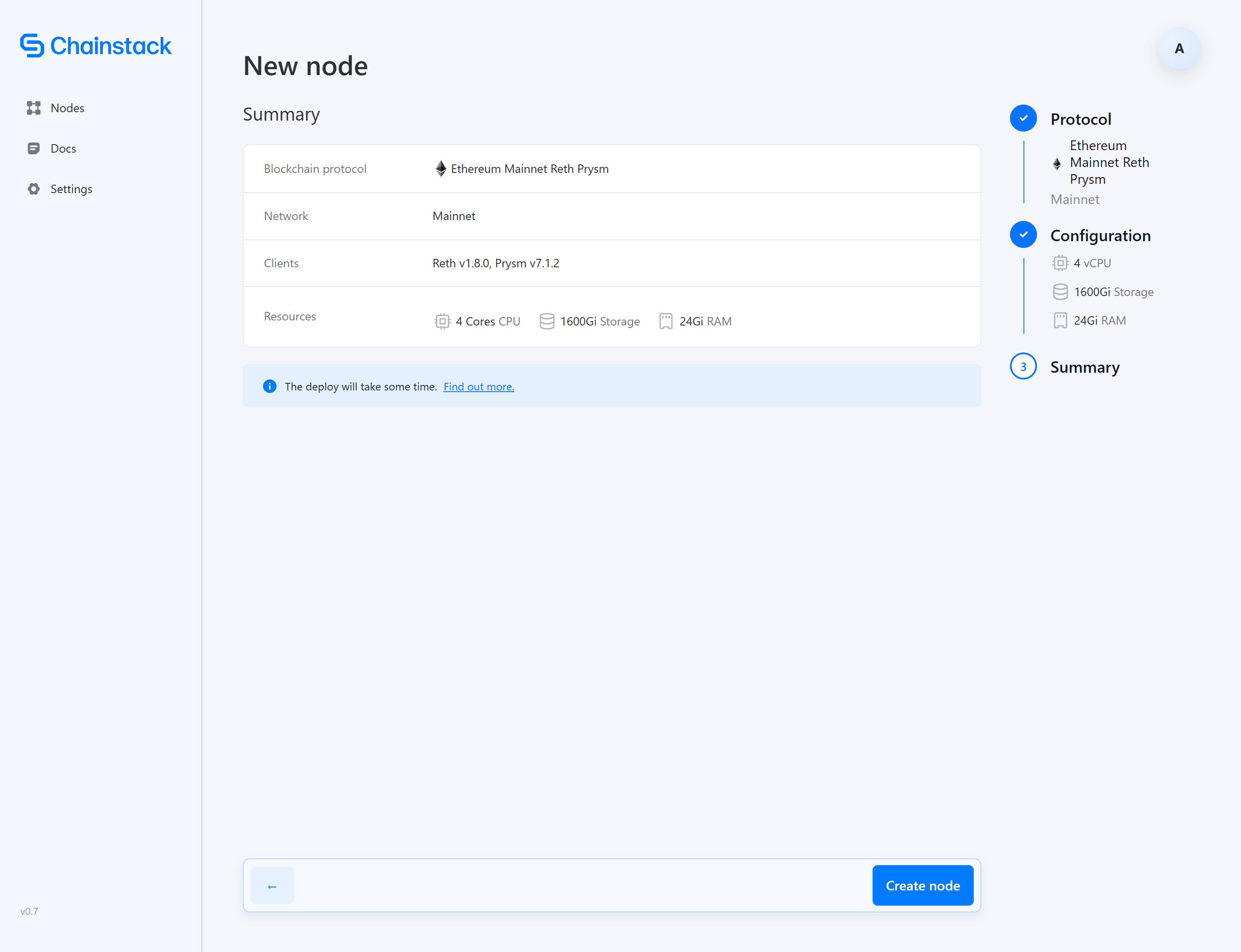
Review and deploy
- Review your configuration
- Click Create node to start the deployment
Deployment process
After initiating deployment, the node goes through several phases:The node shows Running status once deployed. Initial bootstrap from the snapshot completes in minutes to hours; the node then catches up to the chain head in the background.
Initial sync times
Sync times depend on your hardware and network conditions:
See System requirements for specifications and a community-maintained list of hardware recommendations.
After deployment
Once your node reaches Running status:- Access the node details to view connection information
- Start using the node for your applications
Next steps
- Managing nodes — Learn about node operations
- Troubleshooting — Resolve deployment issues